
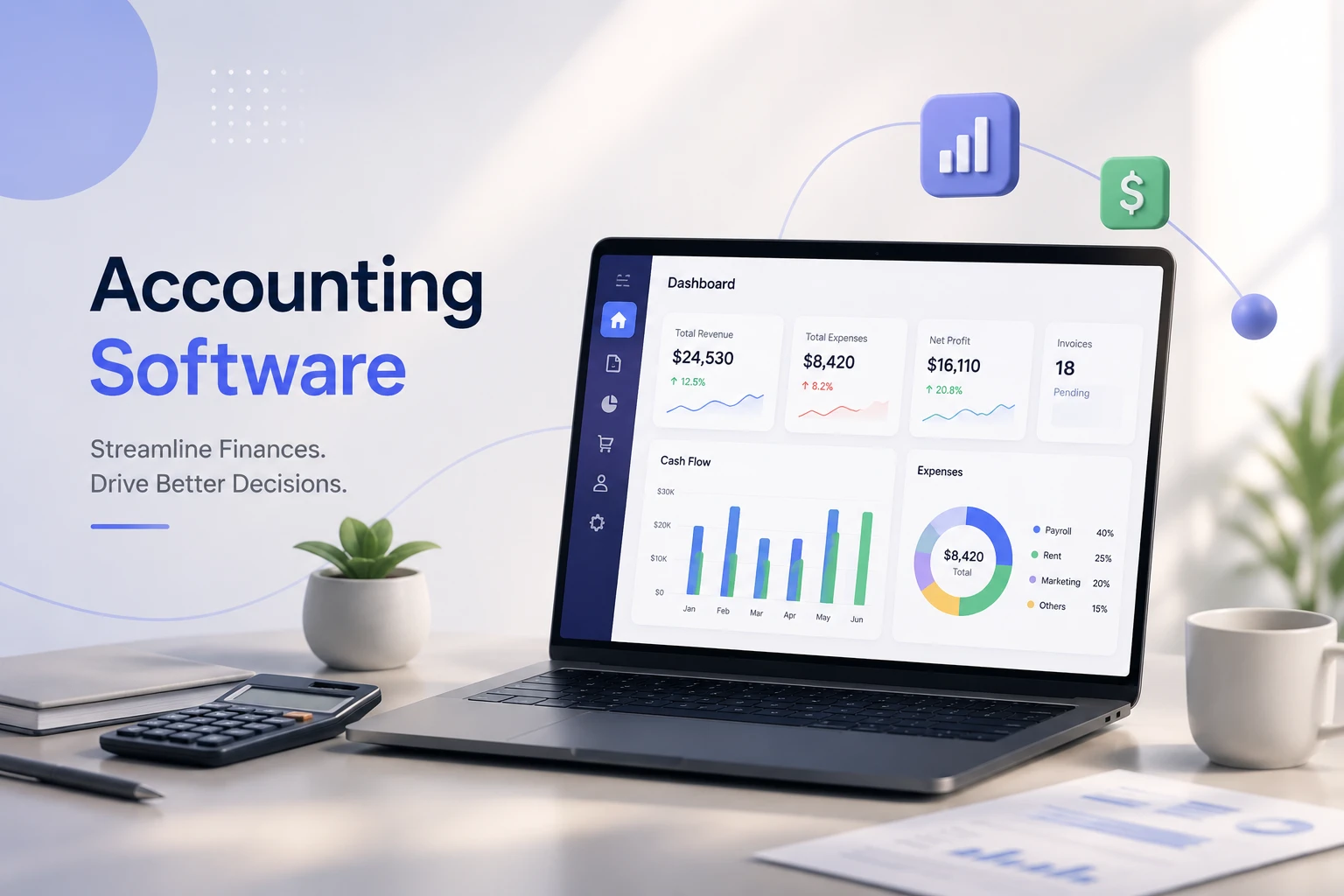

Managing business finances becomes more complicated as a company grows. A freelancer may initially track payments in a spreadsheet, while a small retailer might use separate systems for sales, inventory and supplier bills. Over time, these disconnected records can make it difficult to understand profitability, identify overdue payments, prepare tax information and monitor cash flow.
Cloud-based accounting software helps bring these activities together. Business owners can access financial records through a browser or mobile application, collaborate with accountants, reconcile bank transactions and generate reports without depending on a single office computer.
However, not every accounting platform is suitable for every business. Some products are particularly useful for freelancers and service providers, while others offer more extensive inventory management, reporting, integrations or multi-user access. Subscription prices and available features also vary by country.
This guide compares some of the leading cloud-based accounting software for small businesses, including QuickBooks Online, Xero, Zoho Books, FreshBooks and Wave. It examines their features, strengths, limitations, pricing considerations and practical use cases. It also explains how to choose accounting software that supports accurate bookkeeping and long-term business growth.
Table of Contents
What Is Cloud-Based Accounting Software?
Cloud-based accounting software is an online financial management system that allows businesses to record, organise and review accounting information through internet-connected devices. Instead of maintaining financial records exclusively on locally installed software, users access their accounting data through a hosted platform.
The system typically stores information on infrastructure managed by the software provider. Depending on the product and subscription, authorised users may access invoices, expenses, bank transactions, customer records, supplier balances and financial reports from different locations.
For example, a business owner can create an invoice from a laptop, while an accountant reviews the transaction later from another location. A bookkeeper can reconcile bank transactions without needing physical access to the owner’s computer.
Cloud accounting is not simply online invoicing. A complete accounting platform can support double-entry bookkeeping, accounts receivable, accounts payable, bank reconciliation, financial statements and other important accounting activities.
How Does Cloud Accounting Work?
Most cloud accounting platforms follow a similar workflow.
First, the business creates an organisation account and configures its financial settings. These may include the accounting basis, reporting currency, financial year, tax rates, chart of accounts and opening balances.
Next, users record business activity. Sales invoices, supplier bills, payments, refunds, payroll entries and other transactions are entered manually or imported through supported integrations.
Where bank feeds are available, the software can retrieve transaction information from connected financial institutions. Users then match bank entries with existing accounting records or assign them to appropriate accounts.
The accounting system updates relevant balances and generates reports. These may include a profit and loss statement, balance sheet, cash flow statement, accounts receivable ageing report and expense summary.
The business owner or accountant reviews the records, investigates discrepancies and completes the period-end bookkeeping process.
Automation can reduce repetitive data entry, but it does not remove the need for financial review. Incorrect account mappings, duplicate transactions, missing receipts and poorly configured tax rules can still produce inaccurate reports.
Why Do Small Businesses Need Cloud-Based Accounting Software?
Small businesses often operate with limited administrative resources. The owner may be responsible for sales, customer service, purchasing, operations and financial management. A well-configured accounting system can reduce the time spent organising financial information and improve visibility into the company’s performance.
Access Financial Records From Different Locations
One of the main advantages of cloud accounting is remote accessibility. An authorised user can review business finances from a supported browser or mobile application without relying on one office workstation.
This can be useful for consultants who travel, retailers managing multiple locations and business owners who work with external accountants.
Access from different devices should be supported by appropriate security controls. Businesses should use strong passwords, multifactor authentication where available and role-based permissions to prevent unauthorised access.
Improve Invoice and Payment Management
Late customer payments can create cash-flow pressure even when a business is profitable on paper. Accounting software helps companies record invoices, monitor outstanding balances and identify customers whose payments are overdue.
Many platforms support recurring invoices, payment reminders, estimates and online payment integrations. These functions can reduce administrative work and make it easier to monitor accounts receivable.
The availability of payment gateways is country-dependent. A platform may support particular payment providers in one market but not another, so businesses should verify local payment compatibility before subscribing.
Monitor Income, Expenses and Profitability
A business needs more than a record of how much money enters and leaves its bank account. It must understand where revenue comes from, which expenses are increasing and whether its operations generate a sustainable profit.
Accounting software can organise transactions into categories and produce financial statements. A profit and loss report helps owners review income and expenses over a period, while a balance sheet summarises assets, liabilities and equity at a particular date.
Cash flow reports provide a different perspective by showing how cash moves through the business. These reports are useful because a company can report a profit while still experiencing difficulty paying suppliers or employees.
Collaborate With Accountants and Bookkeepers
Cloud platforms can provide controlled access to external accounting professionals. Instead of emailing spreadsheets and financial documents repeatedly, the business can give an accountant permission to review relevant records.
This can support ongoing bookkeeping, tax preparation and financial reporting. Access permissions should be configured carefully so that external users can perform their assigned work without receiving unnecessary administrative privileges.
Best Cloud-Based Accounting Software for Small Businesses
The following products are established options with different strengths. Their suitability depends on business size, location, accounting requirements and the features included in each subscription.
1. QuickBooks Online – A Broad Accounting Platform for Growing Small Businesses
QuickBooks Online is a cloud accounting platform developed by Intuit. It offers tools for income and expense tracking, invoicing, bank reconciliation, reporting and financial management.
It is a common option for small businesses that want a broad accounting feature set and access to an established accountant and bookkeeper ecosystem. Its usefulness is particularly strong where the business’s accountant already works with QuickBooks or where compatible integrations are important.
Main Features
QuickBooks Online supports invoicing, expense tracking, bank transaction management and financial reporting. Depending on the subscription, businesses can access additional functions such as bill management, inventory-related features, budgeting and more advanced reporting.
Its bank feed functionality can import eligible bank transactions, helping users match payments and deposits with existing accounting entries. The system can also support recurring invoices and customer payment workflows.
QuickBooks offers different subscription levels. The US pricing page lists plans including Simple Start, Essentials, Plus and Advanced, with higher tiers providing additional capabilities and user access. Businesses should compare the current plan limits rather than selecting a subscription based only on its advertised starting price.
Advantages
QuickBooks Online offers a broad range of accounting functions and integrations. It can be useful for businesses that expect to add employees, work with external accountants or need more than basic invoicing.
Its reporting tools can help owners monitor business performance, while connected applications can extend the platform for specific operational requirements.
Limitations
The subscription cost can increase as businesses move to higher tiers or add services. Some functions are available only on selected plans, and payment processing, payroll and other optional services may involve additional charges.
Businesses operating outside the United States should verify local tax support, bank connectivity, payment availability and the relevant product edition.
Who Should Consider QuickBooks Online?
QuickBooks Online is worth evaluating for growing service businesses, retailers and companies that need a broad accounting system with accountant collaboration and integrations.
It may be less attractive to a very small business that only needs basic invoicing and expense tracking, particularly if the available subscription includes functions the business will not use.
2. Xero – Cloud Accounting With Strong Collaboration and Reporting Capabilities
Xero is a cloud-based accounting platform designed for businesses and accounting professionals. It provides invoicing, expense management, bank reconciliation, reporting and financial collaboration tools.
One of its notable characteristics is its approach to user access. Xero advertises no per-user licence fees on its US pricing page, although subscription tiers and feature limits still apply.
This can be useful for businesses that want multiple employees or external advisers to access accounting information without purchasing a separate basic licence for each user.
Main Features
Xero supports invoice creation, quotes, bank reconciliation, expense tracking and financial reporting. Higher subscription tiers provide additional capabilities such as automated bill entry, cash-flow forecasting, multi-currency accounting and project-related tracking.
The platform also offers integrations with third-party business applications. These may help connect accounting with inventory, e-commerce, customer management and other operational systems.
Its reporting features can help owners monitor income, expenses and financial performance. The availability of particular features depends on the subscription and regional product edition.
Advantages
Xero can be attractive to businesses that value collaboration and expect several people to work with their financial records.
Its bank reconciliation tools and integration ecosystem can also help businesses reduce repetitive bookkeeping work. Xero’s multi-currency functionality may be relevant to companies dealing with overseas customers and suppliers, subject to the plan selected.
Xero reports that it serves more than 5.1 million customers worldwide on its US pricing page. This is a vendor-reported customer figure, not an independent measure of market share or customer satisfaction.
Limitations
Xero’s introductory discounts should not be confused with its ongoing subscription cost. The US pricing page lists standard monthly prices of $27 for Early, $59 for Growing and $97 for Established, with promotional offers potentially reducing initial payments.
The Early plan also has transaction limits, including a maximum of 20 invoices and five bills in the published US plan comparison. Businesses with greater transaction volumes may need a higher subscription.
Some functions, including payroll and inventory-related services, may require additional products or subscriptions.
Who Should Consider Xero?
Xero is worth considering for growing small businesses, professional service firms and companies that want collaboration, bank reconciliation and financial reporting in a cloud environment.
It can also suit businesses with international operations when the required currency and regional accounting features are supported.
3. Zoho Books – Accounting Software for Businesses Seeking an Integrated Business Suite
Zoho Books is part of the broader Zoho business software ecosystem. It provides accounting tools for businesses that want to manage invoices, expenses, banking, customers, vendors and financial reporting through an online platform.
Its integration with other Zoho products can be an advantage for businesses already using Zoho CRM, inventory, project management or related applications.
Main Features
Zoho Books includes invoice creation, estimates, expense tracking, bank reconciliation, vendor management and financial reports.
Depending on the country and subscription, higher-tier plans can include inventory management, purchase orders, workflow automation, project-related functions and additional user access.
The platform also offers a free plan in certain markets. For example, Zoho’s US pricing page lists a free option for eligible solopreneurs and micro businesses, while its India pricing page publishes a separate rupee-denominated plan structure.
This regional variation is important. A business should not assume that the features, revenue eligibility limits or subscription prices shown in one country are available in another.
Advantages
Zoho Books can be attractive to small businesses that want accounting alongside other business management tools.
Its free option may provide a starting point for eligible very small businesses. The broader Zoho ecosystem can also reduce the need to manage several disconnected applications, provided the integrations match the company’s workflow.
For companies that use several Zoho products, the ability to connect customer, sales and financial information can make day-to-day administration more consistent.
Limitations
The number of available integrations outside the Zoho ecosystem may be an important consideration for some businesses. Companies using specialist payment, inventory or e-commerce applications should check compatibility before adopting the platform.
Free-plan eligibility and transaction limits can also vary by region. Businesses should review the current terms and determine whether the free plan can support their expected invoice volume and user requirements.
Who Should Consider Zoho Books?
Zoho Books is worth evaluating for freelancers, small service providers and businesses that already use Zoho applications.
It can also be a practical starting point for eligible micro businesses that need structured bookkeeping without immediately purchasing a higher-priced subscription.
4. FreshBooks – A Practical Option for Freelancers and Service-Based Businesses
FreshBooks is an accounting and invoicing platform with a strong focus on freelancers, consultants and service businesses.
Unlike platforms designed around broader inventory and operational accounting needs, FreshBooks places considerable emphasis on customer billing, estimates, expense tracking, time tracking and project-related financial workflows.
This makes it relevant to professionals who charge clients by the hour, work on projects or need a straightforward way to manage invoices and payments.
Main Features
FreshBooks supports invoice creation, estimates, expense tracking and financial reports. Depending on the subscription, businesses can access recurring invoices, client retainers, receipt scanning, project profitability tools and accountant access.
Its time-tracking capabilities can help service providers record billable hours and associate work with particular clients or projects.
This can be useful for consultants, designers, marketing agencies and independent professionals who need to understand how much time is being spent delivering services.
Advantages
FreshBooks can make client billing easier for businesses that depend on invoices and project-based work.
Its client management and invoicing functions can help reduce manual administration. The platform also offers payment options in supported markets, although payment methods and transaction fees vary by location.
Limitations
Businesses with complex inventory, manufacturing or multi-location accounting needs may require a more specialised platform.
FreshBooks also uses plan limits for certain features. Its US pricing information lists Lite, Plus and Premium subscriptions, with standard monthly prices of $23, $43 and $70 respectively. Promotional offers can reduce the initial cost, but the regular subscription price should be used when calculating long-term affordability.
Additional team members, payroll and advanced payment services may involve extra charges.
Who Should Consider FreshBooks?
FreshBooks is worth considering for freelancers, consultants, independent professionals and service businesses that prioritise client invoicing, time tracking and project-related financial management.
It may not be the first choice for a retailer that needs extensive stock management or a business with complex accounting requirements.
5. Wave – A Lower-Cost Starting Point for Very Small Businesses
Wave is an accounting and invoicing platform aimed at small businesses, freelancers and independent operators.
Its Starter plan is listed at $0 on Wave’s US pricing page. This makes it an option for businesses that want to begin with basic accounting and invoicing without adding a monthly software subscription immediately.
However, free accounting software does not necessarily mean that every business activity is free. Payment processing, payroll, additional services and optional features can involve separate charges.
Main Features
Wave’s Starter plan supports estimates, invoices, bills and bookkeeping records. Users can also manage customers and access a financial dashboard.
Its Pro plan adds features such as bank transaction imports, automatic categorisation, receipt capture and payment reminder automation.
Wave also offers payment processing options. Its published US pricing page lists card processing charges, including a standard credit-card rate of 2.9% plus $0.60 per transaction for the Starter plan. Actual fees depend on the payment method and applicable terms.
Advantages
Wave can be useful for freelancers and small operators who need basic invoicing and bookkeeping at a low monthly cost.
The free Starter plan may be sufficient for businesses with relatively straightforward financial activity and limited requirements for advanced integrations or reporting.
Limitations
Wave’s availability and service coverage are geographically restricted compared with some larger accounting platforms. Businesses should verify that the product supports their country, banking arrangements and tax requirements.
The free plan also does not include every automation and banking feature available in the paid subscription.
Who Should Consider the Wave?
Wave is worth evaluating for eligible freelancers, consultants and very small businesses that prioritise affordability and basic bookkeeping.
A company with multiple employees, complex inventory, extensive reporting needs or specialised tax requirements should compare it with more comprehensive alternatives.
Cloud Accounting Software Comparison
The following table summarises the main differences between the five platforms. These are practical positioning descriptions, not independent performance rankings.
| Software | Best suited to | Notable capabilities | Main consideration |
| QuickBooks Online | Growing small businesses | Broad accounting, reporting and integrations | Plan costs and add-ons |
| Xero | Collaborative and growing teams | Bank reconciliation, reporting, multi-user access | Transaction limits and regional plans |
| Zoho Books | Small businesses using Zoho | Accounting, automation and ecosystem integrations | Regional availability and plan limits |
| FreshBooks | Freelancers and service businesses | Invoicing, time tracking and project workflows | Inventory and advanced accounting requirements |
| Wave | Eligible micro businesses | Free basic invoicing and bookkeeping plan | Regional availability and paid features |
Which Accounting Software Is the Cheapest?
Based on the vendor-published US pricing pages reviewed for this comparison, Wave offers a $0 Starter plan and Zoho Books offers a $0 plan for eligible businesses. QuickBooks Online also displays a free option on its US pricing page, while its paid plans start at a higher subscription level.
The cheapest subscription is not necessarily the least expensive solution overall. A business may need paid bank feeds, additional users, payroll, payment processing or third-party integrations.
A more realistic cost comparison should calculate the total annual expense, including subscription charges, payment processing, add-ons, accountant access and any migration or implementation costs.
Essential Features to Look for in Cloud Accounting Software
Choosing accounting software based on brand recognition alone can lead to unnecessary expenses or missing functionality. Businesses should identify their accounting requirements before comparing subscription plans.
1. Invoicing and Accounts Receivable
Invoicing is one of the most important functions for businesses that sell products or services on credit.
The platform should support professional invoices, customer records, payment terms, due dates and a clear view of outstanding balances.
Recurring invoices are particularly useful for subscription businesses and service providers who charge clients at regular intervals.
A useful accounting system should also help owners identify overdue accounts and review customer payment patterns.
2. Expense Tracking and Accounts Payable
Businesses need to record operating expenses accurately. These can include rent, utilities, travel, software subscriptions, supplier purchases and professional services.
Accounting software should support expense categorisation and the recording of supplier bills. Receipt capture can help retain supporting documents, although businesses should verify that the stored information is complete and readable.
Accounts payable functionality is important because it allows owners to monitor what the company owes and when payments are due.
3. Bank Reconciliation
Bank reconciliation involves comparing accounting records with bank statements or imported bank transactions.
This process helps identify missing transactions, duplicate entries, incorrect amounts and payments that have not been recorded properly.
A platform with bank feeds can make reconciliation more efficient by importing transaction information. However, automated matching should still be reviewed because a software suggestion is not necessarily a correct accounting classification.
Businesses should confirm that their financial institution is supported and that the bank feed works reliably in their region.
4. Financial Reporting
Accounting software should provide reports that help business owners understand their financial position.
The most important reports generally include:
- Profit and loss statement
- Balance sheet
- Cash flow statement
- Accounts receivable ageing
- Accounts payable ageing
- Expense reports
- General ledger
A profit and loss statement shows income and expenses over a selected period. A balance sheet summarises assets, liabilities and equity at a particular date. A cash flow statement focuses on cash movements.
These reports answer different questions and should not be treated as interchangeable.
5. Tax and Regulatory Support
Tax functionality is one of the most important regional considerations.
A platform may support sales tax in the United States, GST in India or other local tax systems, but this does not mean that the same product edition will support every jurisdiction.
Before purchasing a subscription, check whether the software can handle the business’s tax rates, invoice requirements, reporting formats and filing obligations.
Businesses should also confirm whether local accountants are familiar with the software and whether the system can export records in the formats required by the relevant tax authority.
6. Inventory and Purchase Management
Retailers, wholesalers and product-based businesses may need accounting software with inventory tracking.
Useful functions include stock quantities, product costs, purchase orders, supplier records and inventory valuation.
Not every accounting platform includes comprehensive inventory management in its basic subscription. Some rely on integrations or separate inventory applications.
A retailer should test a typical purchasing and sales workflow before committing to a platform. It should confirm that stock movements, returns, discounts and cost calculations are recorded correctly.
7. User Permissions and Security
Financial information is sensitive business data. The accounting system should allow administrators to control who can view, edit, approve or export particular records.
Multifactor authentication, activity logs, secure access controls and appropriate data protection practices are important considerations.
Businesses should also review the provider’s backup and recovery arrangements, data export options and account recovery procedures.
Cloud hosting does not remove the company’s responsibility to protect account credentials and control user access.
How Much Does Cloud-Based Accounting Software Cost?
Accounting software costs depend on the country, subscription tier, billing cycle and optional services.
For a practical comparison, the following figures are published US list prices or plan prices from vendor websites reviewed for this article. They are not universal prices and may change.
| Software | Published US pricing reference | Important qualification |
| QuickBooks Online | Paid plans listed from $38/month | Promotions and plan eligibility can change |
| Xero | Early $27, Growing $59, Established $97/month | Standard prices after introductory offers |
| Zoho Books | Free plan; paid plans listed from $20/month | Free-plan eligibility and limits apply |
| FreshBooks | Lite $23, Plus $43, Premium $70/month | Extra services and team members may cost more |
| Wave | Starter $0; Pro $19/month | Payment processing and optional services may cost extra |
Prices above are in US dollars. Applicable taxes, payment processing charges and additional services may increase the actual cost.
Understand Introductory Discounts
Some software companies advertise significant discounts for new subscribers. These promotions can make the first few months appear much cheaper than the ongoing subscription.
For example, Xero’s US pricing page distinguishes introductory rates from regular monthly prices. FreshBooks also publishes promotional offers alongside standard plan prices.
Businesses should calculate their expected annual cost using the regular subscription rate rather than assuming that an introductory offer will continue.
Consider the Cost of Additional Users
A low-priced plan may become less attractive if the business needs additional users, payroll services or advanced inventory management.
Xero advertises no per-user licence fees on its US pricing page, while other platforms may apply user or service limits depending on the selected subscription.
Compare the total cost for the actual number of employees, accountants and managers who need access.
How to Choose the Right Accounting Software for Your Business
The selection process should begin with the business’s accounting workflow rather than the software’s marketing claims.
Identify the Type of Business
A freelancer usually needs invoicing, expense tracking, payment reminders and basic reporting. A retailer may need stock management, purchase orders and sales integrations. A professional services firm may prioritise time tracking, project profitability and client billing.
The business model determines which features are essential and which are optional.
Review Transaction Volume
Estimate how many invoices, bills, bank transactions and customer payments the company processes each month.
A subscription that works for a business issuing ten invoices may become restrictive when monthly billing increases significantly.
Review transaction caps and plan limits before migrating financial records.
Check Existing Integrations
Accounting software should work with the systems the business already uses.
These may include payment gateways, e-commerce platforms, point-of-sale systems, customer relationship management software, payroll applications and inventory tools.
An integration should be evaluated for more than whether it appears in an app marketplace. Businesses should check what information synchronises, how often it updates, whether duplicate records can occur and who is responsible for resolving errors.
Test the Software Before Migration
Use a trial or demonstration environment to test common tasks.
Create an invoice, record a supplier bill, import a bank transaction, reconcile a payment and generate a financial report. If the business manages inventory or projects, test those workflows as well.
This practical evaluation is more useful than choosing a product solely because it has a large feature list.
Plan the Migration Carefully
Moving from spreadsheets or an older accounting system requires preparation.
Businesses should review customer and supplier records, opening balances, unpaid invoices, outstanding bills, bank account details and historical transactions.
The migration should be checked by a competent bookkeeper or accountant. Incorrect opening balances can affect financial reports long after the software has been introduced.
Is Cloud Accounting Secure for Small Businesses?
Cloud accounting can provide practical security advantages, but no online service is completely free from risk.
Established accounting providers generally invest in infrastructure security, access controls and service availability. However, the security of a business account also depends on how employees use the system.
Weak passwords, compromised email accounts, excessive user permissions and phishing attacks can expose financial information even when the software provider has strong security controls.
Businesses should enable multifactor authentication where available, limit administrator access, remove accounts when employees leave and review connected applications periodically.
It is also important to understand the provider’s data retention and export policies. A business should know how to retrieve its financial records if it changes software or closes its subscription.
Regular reconciliation and independent review remain essential. Cloud storage protects access to information; it does not guarantee that the accounting entries themselves are accurate.
Common Mistakes to Avoid When Choosing Accounting Software
One common mistake is choosing a platform based entirely on its monthly price. A low-cost subscription may not include bank feeds, inventory management or the required number of users.
Another mistake is overlooking local tax requirements. A platform designed primarily for one country may not support another country’s invoice rules, tax reports or banking integrations.
Businesses should also avoid assuming that automated categorisation is always correct. Transactions can be assigned to inappropriate expense categories, and bank feed descriptions may not explain the underlying business purpose.
Finally, do not migrate financial records without reviewing opening balances and historical data. A poorly planned transition can create duplicate entries and inaccurate reports.
Future Trends in Cloud Accounting Software
Cloud accounting platforms are increasingly incorporating automation, document recognition and artificial intelligence into routine financial workflows.
Receipt scanning can extract information from documents, while automated bank feeds can suggest matches between bank transactions and accounting entries. Some platforms also offer AI-assisted insights, cash-flow tools and automated document processing.
These features can reduce manual work, but their output still requires appropriate oversight. An automated system may misread a receipt, assign a transaction to the wrong account or produce a misleading interpretation of incomplete financial data.
Another important development is the expansion of integrations. Businesses increasingly expect accounting software to connect with payment systems, e-commerce platforms, inventory tools and customer management applications.
The practical value of these developments depends on accuracy, transparency and compatibility. Small businesses should evaluate whether automation actually improves their workflow rather than adopting a feature simply because it uses AI.
Conclusion
The best cloud-based accounting software for a small business is the platform that supports its financial workflow, regulatory requirements and expected growth without creating unnecessary complexity or expense.
QuickBooks Online offers a broad accounting feature set for businesses that need reporting and integrations. Xero provides collaboration and financial management tools for growing teams. Zoho Books is worth considering for businesses seeking an integrated Zoho ecosystem. FreshBooks is particularly relevant to freelancers and service providers, while Wave offers a low-cost starting point for eligible small businesses.
Before choosing a subscription, compare the regular price, transaction limits, user access, tax support, bank connectivity, integrations and data export options. Test the most important workflows and involve an accountant or bookkeeper when configuring the system.
A suitable accounting platform can improve financial visibility and reduce repetitive administration. Its greatest value, however, comes from accurate records, consistent reconciliation and informed financial decisions.
Frequently Asked Questions
1. What is the best cloud-based accounting software for small businesses?
There is no universal best option. QuickBooks Online, Xero, Zoho Books, FreshBooks and Wave serve different business needs. The right choice depends on transaction volume, invoicing, reporting, inventory, tax requirements and budget.
2. Is cloud accounting software better than desktop accounting software?
Cloud accounting provides remote access and can make collaboration easier. Desktop accounting may suit businesses with specific offline or legacy requirements. The better option depends on security needs, integrations, accessibility and the way the business operates.
3. Is there free cloud accounting software for small businesses?
Yes. Wave offers a free Starter plan in its US pricing structure, and Zoho Books offers a free plan for eligible businesses in supported markets. QuickBooks also displays a free option on its US pricing page. Features, eligibility and regional availability differ.
4. Can cloud accounting software manage invoices and expenses?
Yes. Most established cloud accounting platforms support invoice creation and expense recording. Depending on the subscription, they may also provide recurring invoices, payment reminders, receipt capture and supplier bill management.
5. Does cloud accounting software support bank reconciliation?
Many platforms support bank feeds and bank reconciliation. However, the availability of automatic bank connections depends on the financial institution, country and software edition. Imported transactions should still be reviewed before reconciliation is completed.
6. Which accounting software is best for freelancers?
FreshBooks is worth considering for freelancers who prioritise client invoicing, expense tracking and time-based billing. Wave and Zoho Books may also be suitable for eligible freelancers with simpler bookkeeping requirements.
7. Which accounting software is best for inventory management?
The right choice depends on the depth of inventory functionality required. Businesses should compare product tracking, purchase orders, stock valuation and integration capabilities. Some platforms provide inventory features only on selected plans or through additional applications.
8. Is QuickBooks Online suitable for small businesses?
QuickBooks Online can suit small businesses that need invoicing, expense management, bank reconciliation and financial reporting. Businesses should review subscription limits, regional tax support and optional service costs before choosing a plan.
9. Can multiple employees use cloud accounting software?
Many cloud accounting platforms support multiple users with different permission levels. The number of users and available roles depend on the subscription. Some providers, such as Xero, advertise no per-user licence fees in their US offering.
10. Is cloud accounting software secure?
Established providers use security controls to protect hosted financial information, but businesses must also secure their own accounts. Strong passwords, multifactor authentication, restricted permissions and regular access reviews help reduce risks.
11. How much does cloud accounting software cost?
Costs range from free plans to higher-priced subscriptions with advanced accounting features. The total expense may include monthly software charges, payment processing, payroll, extra users and integrations. Prices also vary by country and billing cycle.
12. Can I switch accounting software without losing financial data?
Yes, but migration needs careful planning. Businesses should preserve historical transactions, customer and supplier records, unpaid invoices, outstanding bills and opening balances. An accountant or bookkeeper should review the migrated data before the new system becomes the main financial record.
if you are looking to write about business. You can search for us with the query “Write for Us Business” in search engines.
For more updates and the latest business news, visit StyleInFlux.